Looks
Dress an App in one of three built-in looks, adjust its accent and corners, or register a look of your own.
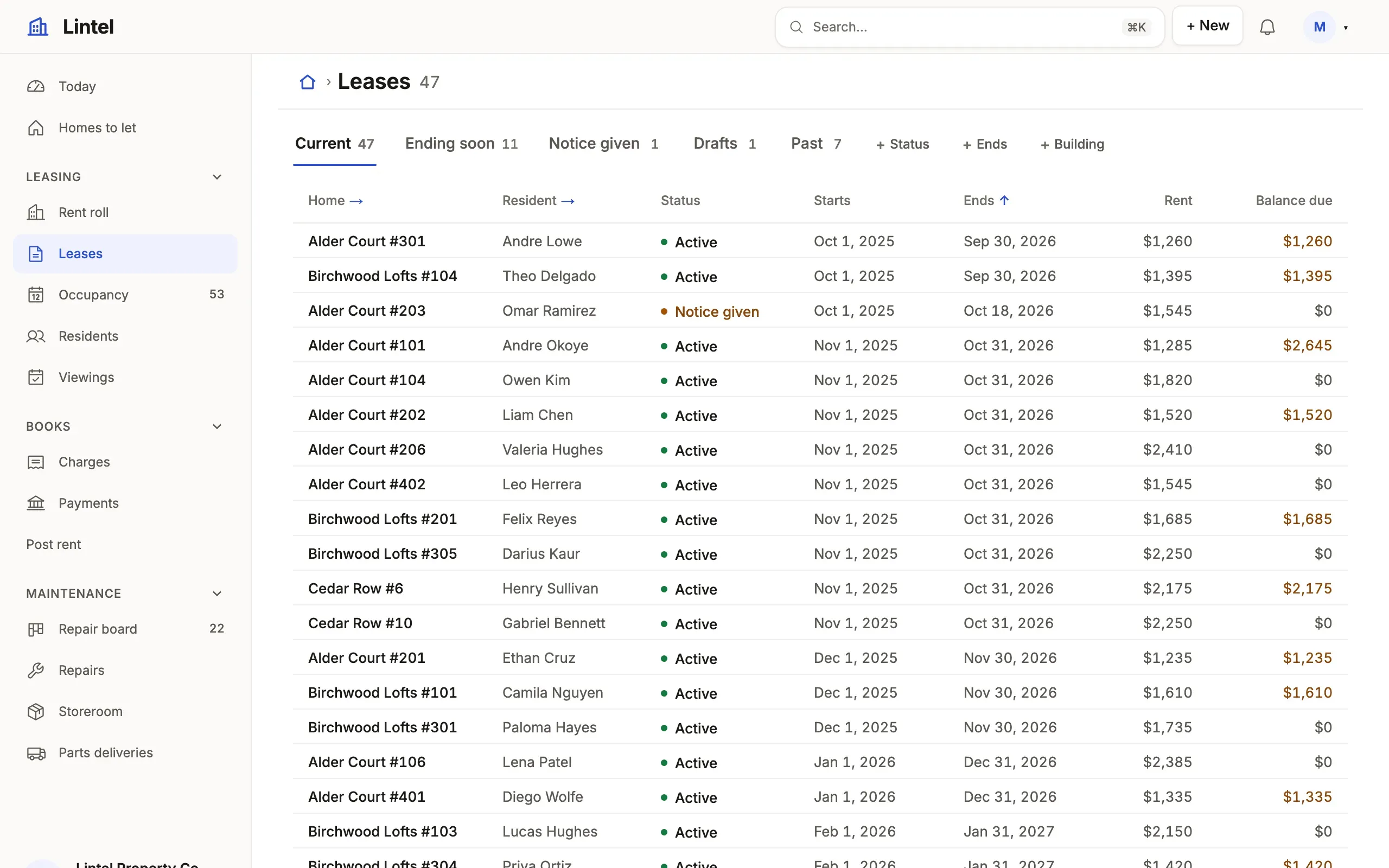
ui: { logo: 'buildings', theme: { preset: 'lintel' }, customThemes: [lintel, blueprint], shell: { placement: 'side', rail: true,See it in the sample (examples/apps/lintel/app.ts:160): Lintel names a look of its own, Lumen (the default) with its residents large beside their names (theme.ts), offers a second in the reader’s picker (Blueprint), and a side menu that folds to a rail. One line picks another built-in look instead: ui: { theme: { preset: 'sage' } }; theme: { accent: '#2258cf', radius: '8px' } adjusts the accent and corners of the one it names.
What you’ll see
Section titled “What you’ll see”- The same rooms, structure and type scale in every look, in light and dark; a look changes color, face and corners, never what is shown or who may change it.
- Readers may pick another look, palette and System, Light or Dark under Preferences, kept in their browser; the App’s choice is the default.
- The accent dresses the selected tab, links, the filled button and the first series of every chart; the database browser and the Workbench keep their own look.
The three, side by side
Section titled “The three, side by side”Lintel’s leases in each look, taken by scripts/docs-shots.mjs. Every component in every look is in the component showcase.
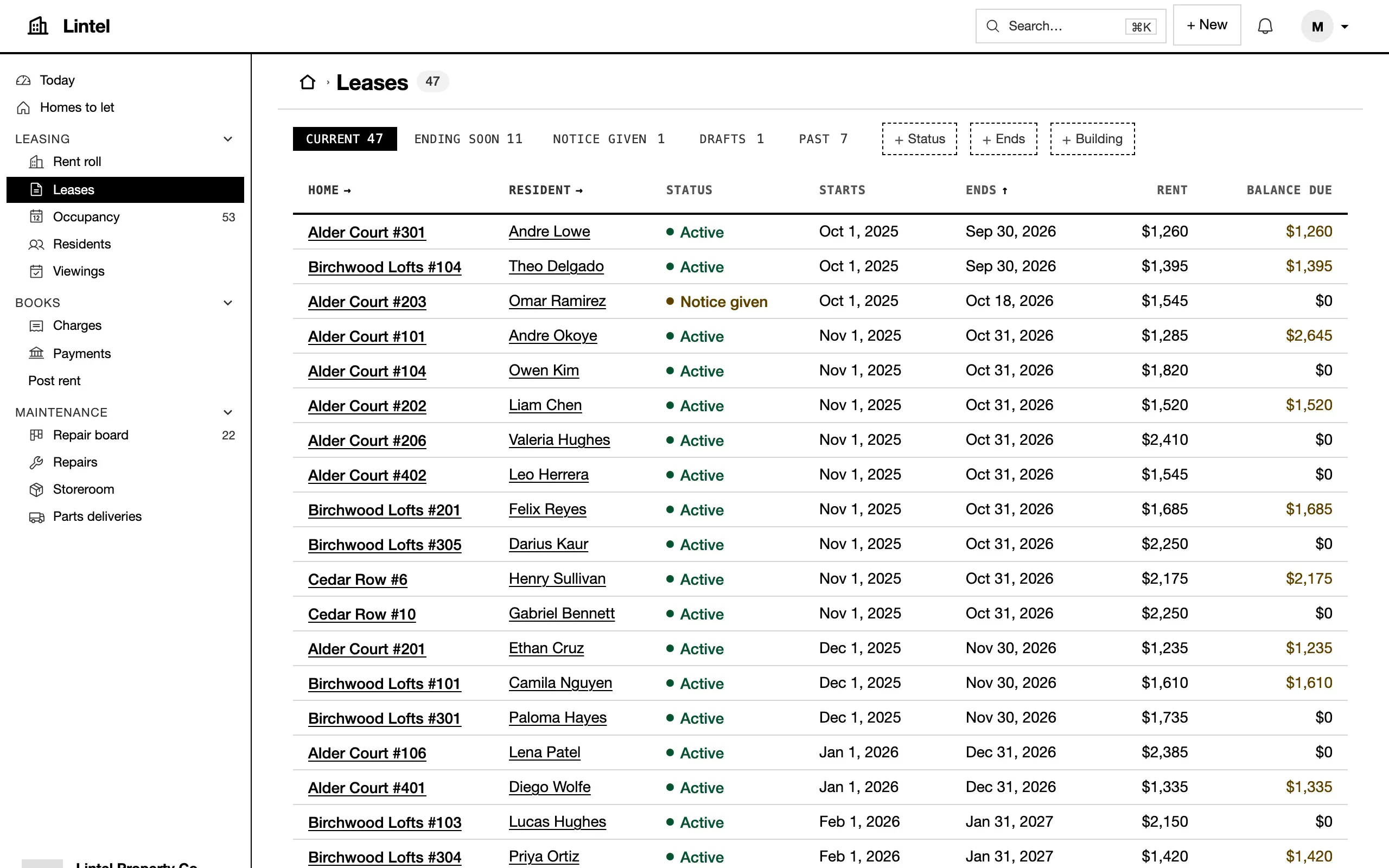
preset: 'mono'.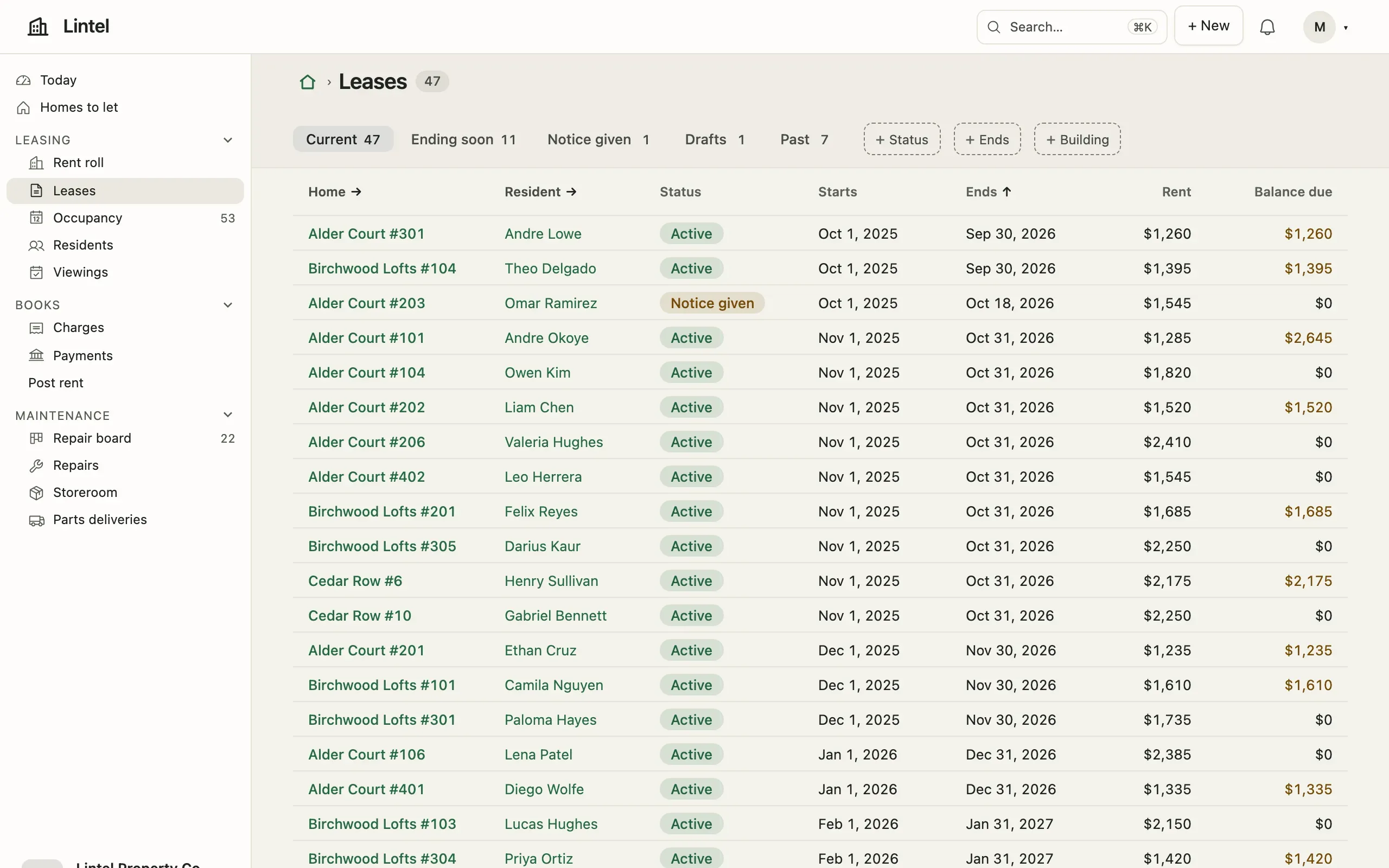
preset: 'sage'.Recipes, look by look
Section titled “Recipes, look by look”Each part’s treatment in each look, as tablewalk theme show <look> prints it with every color, the type and the shape. A theme that extends a look starts from its column; tablewalk theme show . --diff lumen says what yours changes.
| Part | Lumen | Mono | Sage |
|---|---|---|---|
nav |
pill |
inverted |
quiet |
bar |
airy |
ruled |
soft |
tabs |
underline |
inverted |
chosen |
windows |
lifted |
segmented |
chosen |
stat |
divided |
framed |
panel |
section |
open |
open |
panel |
fields |
rail |
open |
panel |
table |
quiet |
open |
hairline |
status |
quiet |
dot |
pill |
board |
strip |
ruled |
soft |
chart |
line |
plain |
wash |
buttons |
raised |
accent |
accent |
links |
plain |
underline |
plain |
rules |
hairline |
ink |
hairline |
avatar |
round |
plain |
large |
workflow |
markers |
markers |
markers |
banner |
plain |
tint |
tint |
steps |
strip |
flat |
flat |
lanes |
tint |
tint |
tint |
header |
plain |
plain |
band |
Type, look by look
Section titled “Type, look by look”The type roles each look says (type.roles, Theme recipes); a role it leaves out is drawn as the platform draws it.
| Role | Lumen | Mono | Sage |
|---|---|---|---|
title |
28px, 600, -0.02em | 30px, 700 | 600 |
heading |
24px, -0.018em | ||
section |
16px, 600, -0.01em | ||
label |
mono, upper |
||
figure |
mono, 700 |
||
nav |
mono, upper |
When to use it, and when not
Section titled “When to use it, and when not”- Use a built-in look (
preset) for almost every App: Lumen for a polished workspace product, Mono for dense daily operations, Sage for a soft workspace. - Use
accent,radiusandfontto carry a brand’s color into a built-in look without leaving it. - Use
defineThemewhen a brand needs its own grounds and inks or another look’s treatments; it starts from one of the three or from scratch, and the same checks hold it. Themes and branding has a neutral kit, a printed page and a colored bar to copy.
Options
Section titled “Options”| Key | What it does | Default | Status |
|---|---|---|---|
ui.theme.preset |
lumen, mono, sage, or a registered look’s id |
lumen |
Stable |
ui.theme.palette |
A look’s named palette: Lumen’s violet, teal, emerald, rose, amber |
the look’s own | Stable |
ui.theme.accent |
One color, or { light, dark }; one color is mixed toward white on dark |
the look’s | Stable |
ui.theme.radius, font |
Corners (Mono keeps its square ones) and the interface face | the look’s | Stable |
ui.customThemes |
Up to 20 themes of the App’s own from defineTheme, offered in the reader’s picker; ui.theme.preset names one as the App’s look |
none | Stable |
A theme of your own is Themes and branding: colors by purpose, a shape, a type and a pick from a closed menu of treatments; tablewalk check refuses a color under 4.5:1 for text or 3:1 for a control, and chart series too close for color-blind readers. The contract is docs/theming.md. Every key: ui reference.
Common mistakes
Section titled “Common mistakes”- A misspelled
presetis a type error → use one of the three ids, or register adefineThemeresult inui.customThemesand name its id. - A contrast failure in
tablewalk check→ change the color it names (accent,lineControl,chart[2]) until text reaches 4.5:1 and a control’s edge 3:1. - A font that never shows →
type.fontnames installed faces only; tablewalk fetches none, so list a fallback stack. - Grounds and inks set through
accent→accentis one color; for grounds, register a look withdefineTheme.
Related
Section titled “Related”- Navigation and the shell: the menu and bar each look dresses.
- Design checks:
tablewalk shot --theme alland what the checks flag in each look. - Custom components: drawing with the looks’ tokens, so every look dresses your component.
- Component showcase: every block in every look, light and dark.