Actions
Put a one-click change on a record, such as a status, a stamp or a move along the record’s states, as a button.
actions: { complete: action('Complete', { set: { completed: true }, when: 'completed = false' }), reopen: action('Reopen', { set: { completed: false }, when: 'completed = true' }),},See it in the sample (examples/apps/tick/app.ts:46).
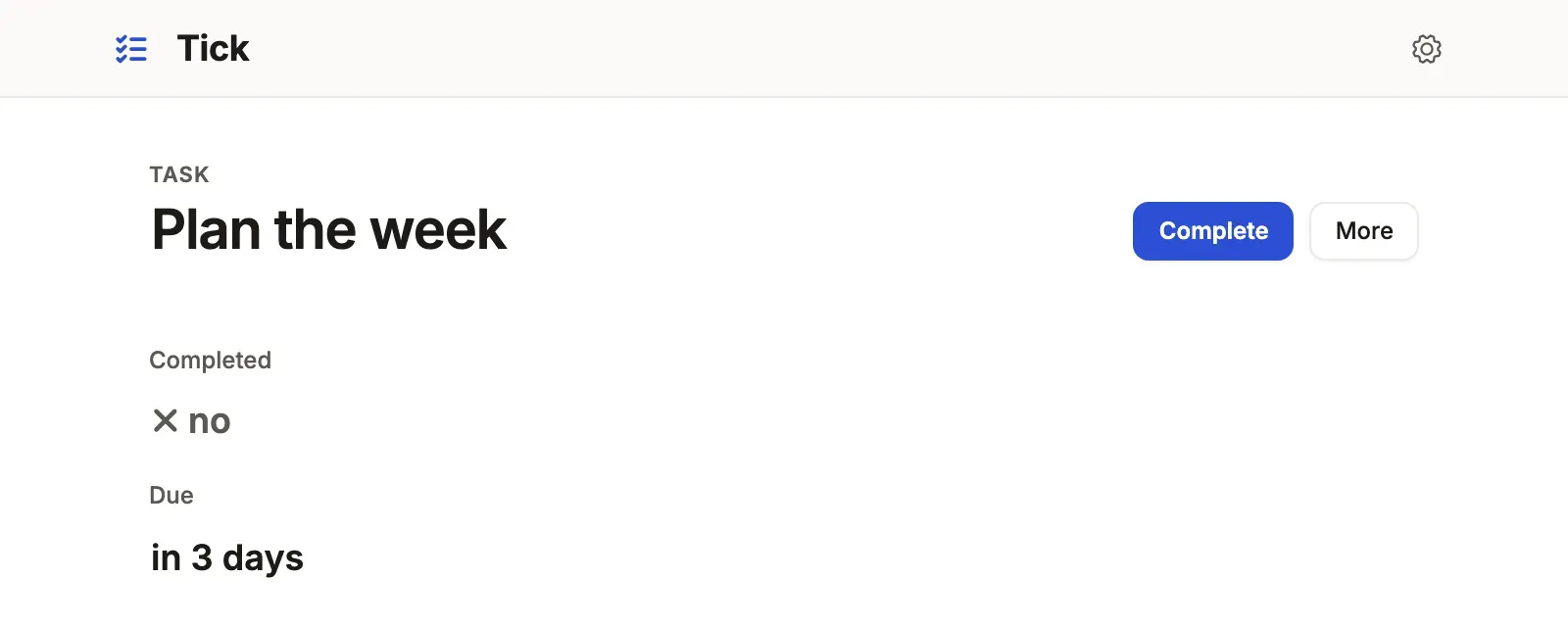
What you’ll see
Section titled “What you’ll see”- A button for each action whose
whenholds: an open task offers Complete, a finished one Reopen. - One click writes the
setcolumns through the ordinary update, so the history and notifications see an ordinary edit. - With
confirm: truethe button asks first; withreason: '<column>'it asks why and writes the note with the change.
When to use it, and when not
Section titled “When to use it, and when not”- Use a fixed action when the change is fixed values (a status, a flag, a stamp) and whoever writes the record may make it.
- Use a machine instead when a status may move only along the paths you allow, through every door.
- Use a command when the change depends on other rows, on who acts, or on several writes that must agree when it runs.
A fixed action’s
whenreads stored columns; one that reads a computed column or a rollup is refused when the App loads, since a command’swhenreads those.
Options
Section titled “Options”| Key | What it does | Default | Status |
|---|---|---|---|
set |
The columns written, with constants or stamps | required | Stable |
when |
A query-language condition on the record; the button shows where it holds | always | Stable |
confirm |
Ask before writing | false |
Stable |
reason |
A column for a required note, written with the change; not with bulk |
none | Stable |
bulk |
Offer it on a queue’s selection, written record by record | false |
Stable |
header |
false keeps it out of the record’s action bar and menu; still granted, and run from a queue, a board or useCommand |
true |
Stable |
command |
Run a command instead; it takes no set, when or reason. One that asks nothing runs on one click, or asks first with confirm: true; one with inputs asks them in its form |
none | Stable |
All keys: the generated reference.
Stamps: the moment, the day and the person
Section titled “Stamps: the moment, the day and the person”now, today and me from tablewalk/app are stamps the server works out
inside the write, so a request cannot choose them. computed.date('today + 14 days')
(also .number, .boolean) is a constant expression over today, now,
me, numbers and date spans.
const approveSheet = action('Approve timesheet', { set: { status: 'approved', approved_by: me, approved_at: now }, when: 'status = submitted', bulk: true,now on a DATE column is the day in ui.timezone (UTC without one), and
on a timestamp with no zone (timestamp, DATETIME) the wall clock there too;
a timestamp with a zone (timestamptz) gets the UTC instant. A machine’s
since, a Date a command writes and a New form’s now follow the same rule. me is the signed-in account’s email, so it
needs auth. Where anyone may sign up, an address counts once it is
confirmed: until then an action that stamps me is refused, and the answer
says so (This action records who made it, and no proven account is signed in…). A reference stamped with me needs the account’s row of the
auth.me table, and is refused by name without one. A stamp a column cannot hold, or an expression that does not
parse, stops the App at startup and tablewalk check names it. Stamps are
not written in tenant Apps yet; use a command’s now() and actor there.
Keep stamped columns out of every role’s fields write list, so nothing
else writes them.
Who may click it
Section titled “Who may click it”A fixed action is a generic update: it needs the role to write the resource,
and its when decides only whether the button is drawn. To let a role make
exactly these changes and no others, grant the actions by id instead of
write, as a payroll App would for approvals:
auth: { roles: { admin: { actions: { timesheet: ['approve'] } }, payroll_manager: { actions: { timesheet: ['approve'] } } } },The server then admits that role’s update only as exactly one granted
action: its set, its stamps and its reason, with its when judged on the
stored row. Any other update is refused 403 with the code forbidden,
as a write the role holds no grant for, and the answer and the server’s
log both say the change was not one of the role’s actions. The resource needs access: 'write'. Under a row policy it acts
only on the principal’s rows; tenant Apps refuse the grant.
A record’s states: machine
Section titled “A record’s states: machine”machine: machine('status', { draft: { on: { signLease: 'active' } }, active: { on: { giveNotice: 'notice' } }, notice: { on: { endLease: 'ended' } }, ended: { final: true },}),See it in the sample (examples/apps/lintel/resources.ts:140) (each verb is a command here; a fixed verb says { to, label, set }).
A machine is the one statement of a record’s life. A new record
starts in the first state. Each verb is a button where the state lists it,
the page’s summary draws the road as a stepper, and a board has a lane per
state. The server takes a change of the column only along an edge, from every
door: Save, a list’s cell, an import, the App API, MCP, a
fixed verb and a command. A verb is a fixed move (to, with label, set,
reason, when, confirm, bulk) or a command by name, which takes to,
label, when, bulk and confirm: a command that asks nothing runs on one
click, or asks first with confirm: true
(readyForPickup: { on: { handOver: { to: 'collected', confirm: true } } }). since names a
timestamp the server stamps on every move, and a state’s
after: { '3 days': 'expireApplication' } runs that command through the
jobs once a record has stayed that long.
A timer at an instant is the resource’s, not a state’s:
at: { due_at: { command: 'warnBreach', when: "status = 'open'" } } beside
machine runs it once the time in that column has passed while the record
matches when; a new time arms it again. by: { automation: 'escalated' } is a move no verb makes and no button offers: only a command
running as that service role (service: true) takes it.
Name the sets of states people talk about with groups, and ask them as
is open is asked, in a query, a segment, a tab, a nav count or a board, whose
lanes shrink to the group:
machine: machine('status', { … }, { groups: { onBench: ['checked_in', 'in_repair', 'waiting_parts'] } }),segments: { bench: 'status is onBench' },An edge tells people through the resource’s notify, as any write does. A rule
on the column the machine moves hears every edge that lands where when says,
whichever door took it; on: { action: 'finish' } hears one verb by name:
{ on: { changes: 'status' }, when: 'status = completed', send: { channel: 'email', to: 'resident_id.email', consent: 'resident_id.email_ok' }, title: 'Your repair is done: {title}',},See it in the sample (examples/apps/lintel/resources.ts:272).
A verb that names another record’s command moves this record with it. Cancel an order once, and its pending payment is voided and its pending parcel cancelled in the same transaction, with no handler code:
payment: { machine: machine('status', { pending: { on: { markPaid: 'paid', cancelOrder: 'voided' } }, … }) },Each row that points at the order moves along the edge; a row already final
stays; a row in a state that does not list the command refuses the whole
command. The command writes the table, its rows reach the record by one
reference, and the verb goes to one state, with no when. Such a verb is not a
button on the payment: it runs where its command is offered. A record that does
not point at the command’s (a purchase order, named by its line’s
receiveLine) is the handler’s to move; its verb says where it may go.
Common mistakes
Section titled “Common mistakes”[machine-dead-end]or[machine-unreachable]→ give the state a verb that leaves it or leads to it, or mark itfinal: true.[machine-verb-unrunnable]→ grant the verb’s command to a role, or let a role write the table.[machine-command-outside]: a command writes the machine’s column and is not a verb → name it under the states it leaves.[unknown-action]in a header, a queue or a role’sactions→ use one of the ids the resource declares.
Related
Section titled “Related”- Commands: a change that checks other rows, or must agree when it runs.
- Command forms and bulk: one request over a queue’s whole selection.
- Roles and field access: who writes a resource, and who runs which action.
- Design a record page: where the header’s buttons go.