A few lines of TypeScript.
A complete business App.
Describe your records, screens and rules. tablewalk serves the App on PostgreSQL, with lists, record pages, forms, dashboards, sign-in and roles, and an assistant. Write it yourself, or have your coding agent do it.
machine: machine('status', { draft: { on: { signLease: 'active' } }, active: { on: { giveNotice: 'notice' } }, notice: { on: { endLease: 'ended' } }, ended: { final: true },}),page('lease', [ header({ status: 'status', facts: ['start_on', 'end_on', 'rent', 'deposit'] }), fields(['balance', 'charged', 'paid']), related('Charges', 'charge', 'lease_id', /* … */), // … payments card('Home', 'unit_id', ['property_id', 'bedrooms', 'sqft']), card('Resident', 'resident_id', ['email', 'phone']),]),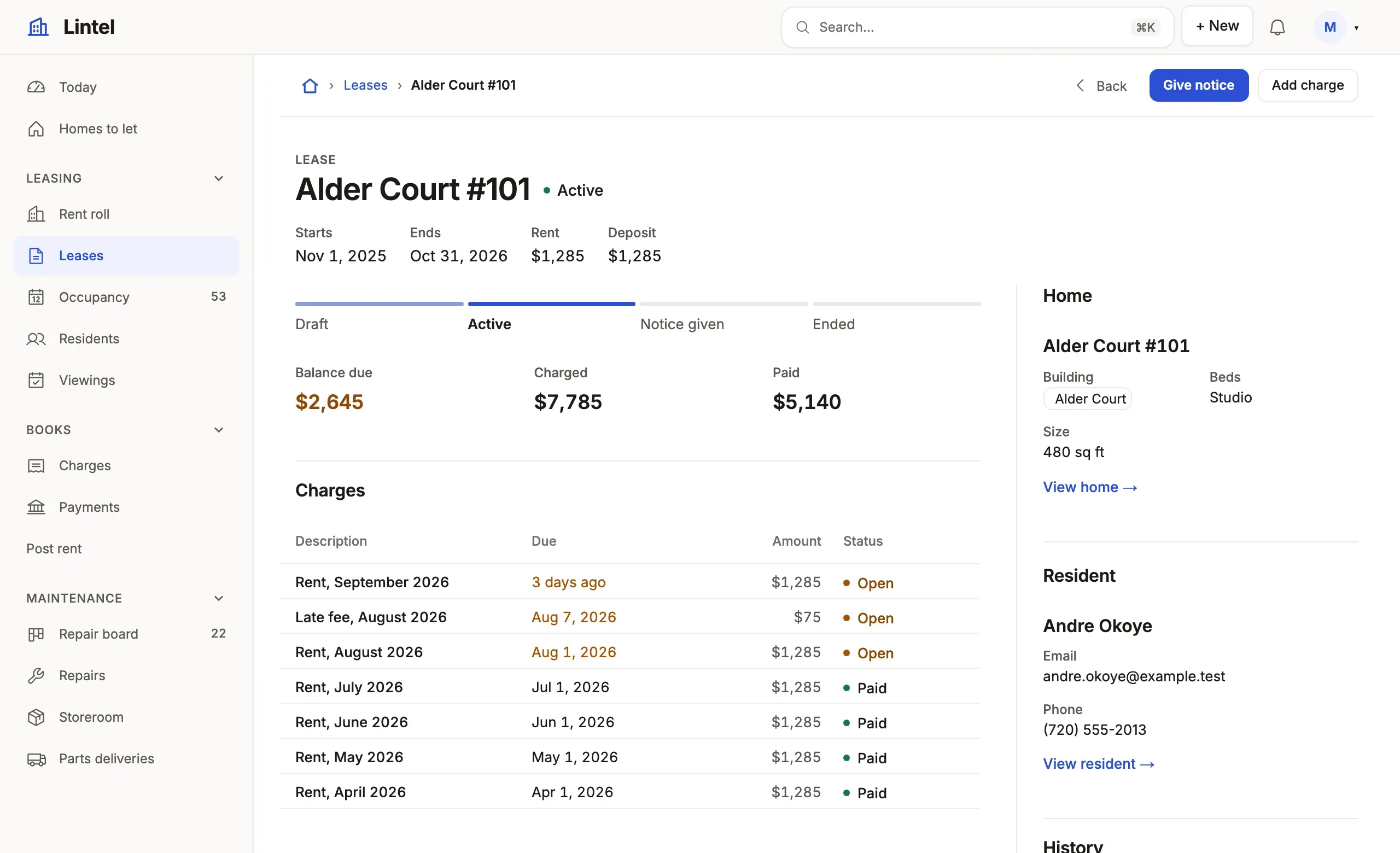
Start a new App
Section titled “Start a new App”Two tables and twenty-one lines of TypeScript are an App you can list, search, filter and edit. Write the schema you want and the screens over it.
create table customer (  id serial primary key,  name text not null,  email text);
create table invoice ( id serial primary key, customer_id integer not null references customer (id), total numeric(10, 2) not null, paid boolean not null default false);{ "connections": [{ "name": "billing", "url": "postgres://localhost/billing", "writable": true }]}import { defineApp, listView } from 'tablewalk/app';
export default defineApp({ id: 'billing', name: 'Billing', connection: 'billing', resources: { customer: { access: 'write' }, invoice: { access: 'write' }, }, views: { invoices: listView('Invoices', 'invoice', { show: ['customer_id', 'total', 'paid'], }), customers: listView('Customers', 'customer', { show: ['name', 'email'], }), }, nav: ['invoices', 'customers'], home: 'invoices',});npm init -y && npm pkg set type=module && npm install tablewalk typescriptcreatedb billingnpx tablewalk migrate diff init --app . # writes migrations/V1__init.sql from schema.sqlnpx tablewalk migrate up --app . # applies it, then checks the App against itnpx tablewalk --app .The first migration is written for you to read before it runs, and the next
comes the same way when you change schema.sql. No front end to write, no API
to wire, no build step to serve.
Quickstart: an App from scratch
Already have a database? tablewalk drafts the App from it. Quickstart: an App from your database
A few lines is a screen
Section titled “A few lines is a screen”Lintel, the flagship example, runs a property company’s three Denver buildings: leases, a rent ledger, repairs, a storeroom, a public listings site and a resident portal. It is about 1,500 lines of TypeScript, commands and jobs included, not counting blank lines, comments or tests, checked against the database before anyone opens a page. Three cuts from it:
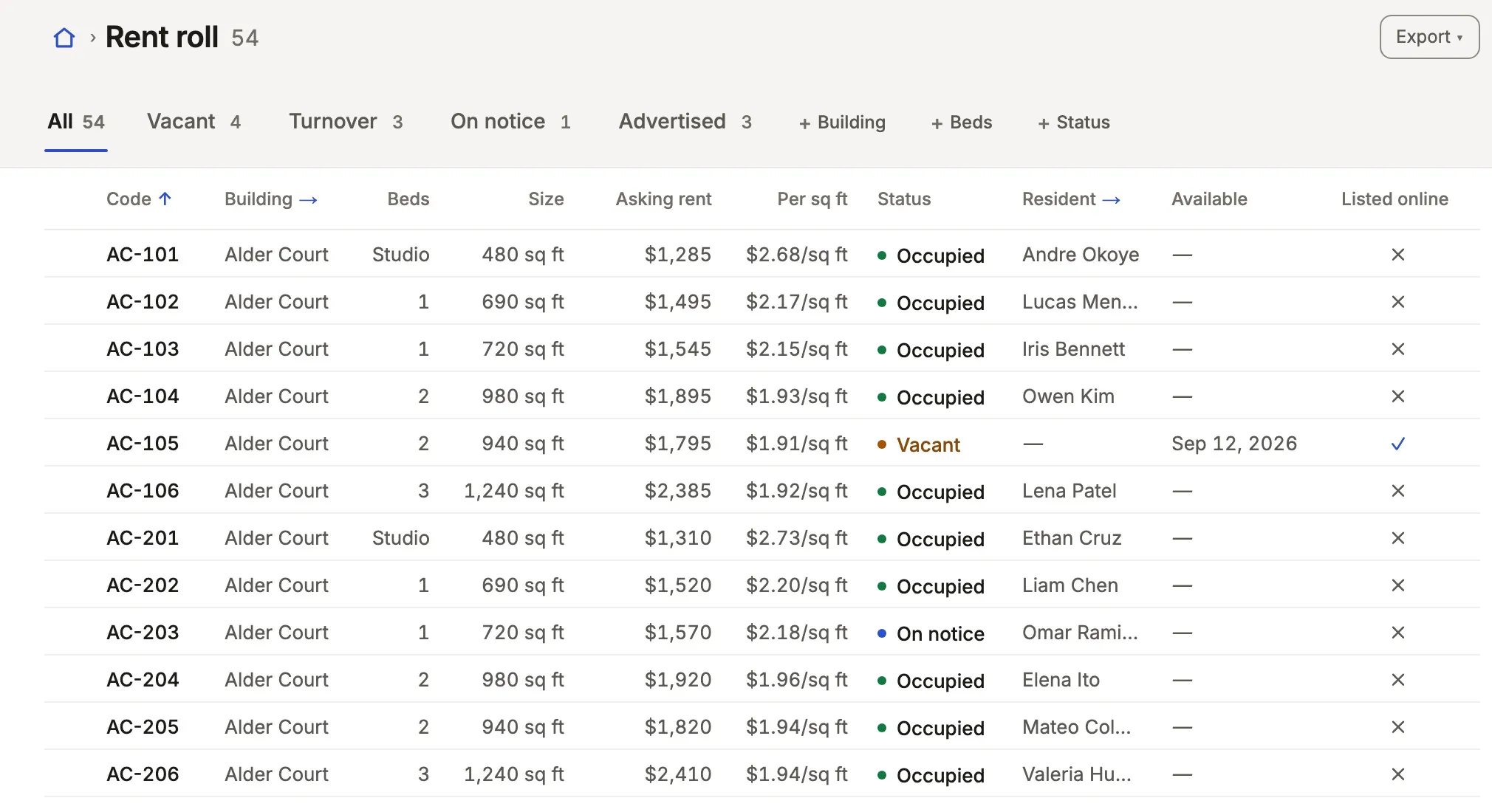
A list people work in
units: listView('Rent roll', 'unit', { icon: 'buildings', // … editable: ['market_rent', 'available_on', 'listed'], // … tabs: [An asking rent, a date and a listing change in place; the tabs are the rent roll’s segments, each counted.
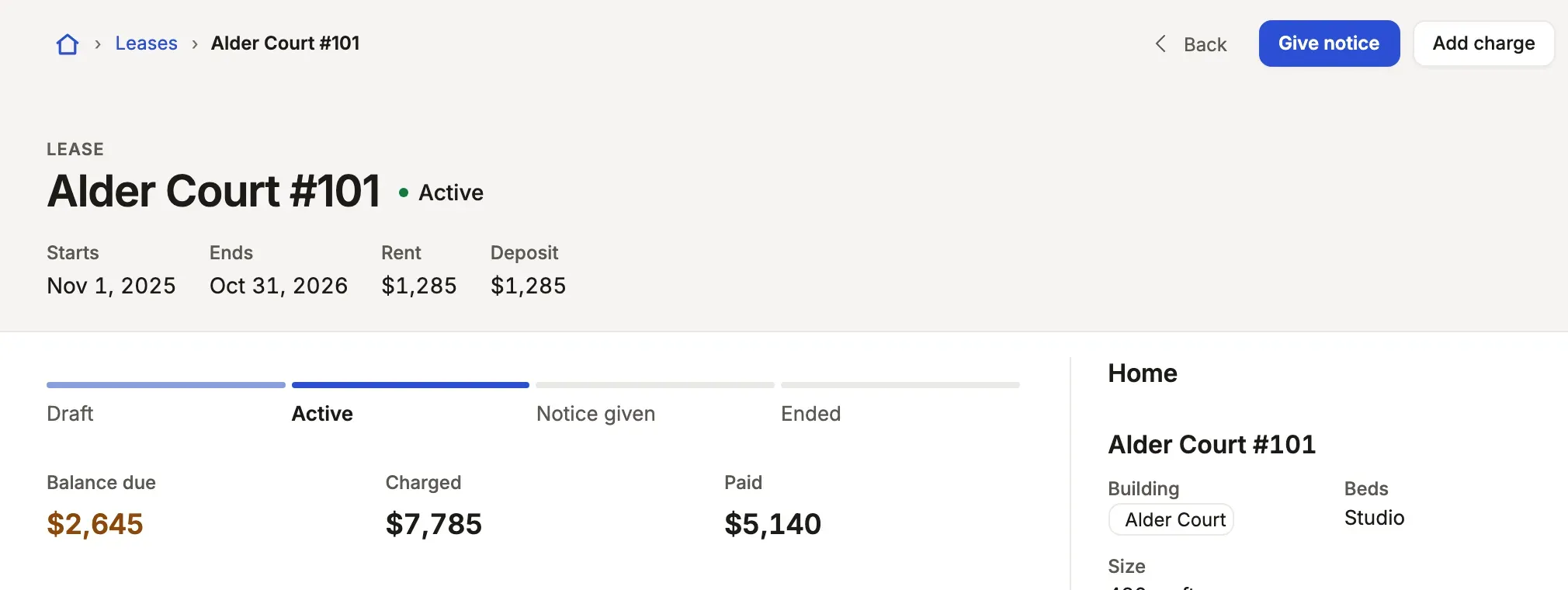
Buttons from the road a lease travels
machine: machine('status', { draft: { on: { signLease: 'active' } }, // … ended: { final: true },Each state names the verbs that leave it. They become the page’s buttons and its stepper, and the server refuses any other change of status.
A card for each number that matters
metric('Rent collected', 'charge', { query: 'kind = rent and status = paid', over: 'due_on', measure: 'sum amount as collected', better: 'up', // …}),Over the window the reader picks, with its change from the period before and its trend across the window, drawn unasked.

Beautiful out of the box
Section titled “Beautiful out of the box”Every list, record page, form and dashboard is drawn for you, in a design system made for work people do all day.
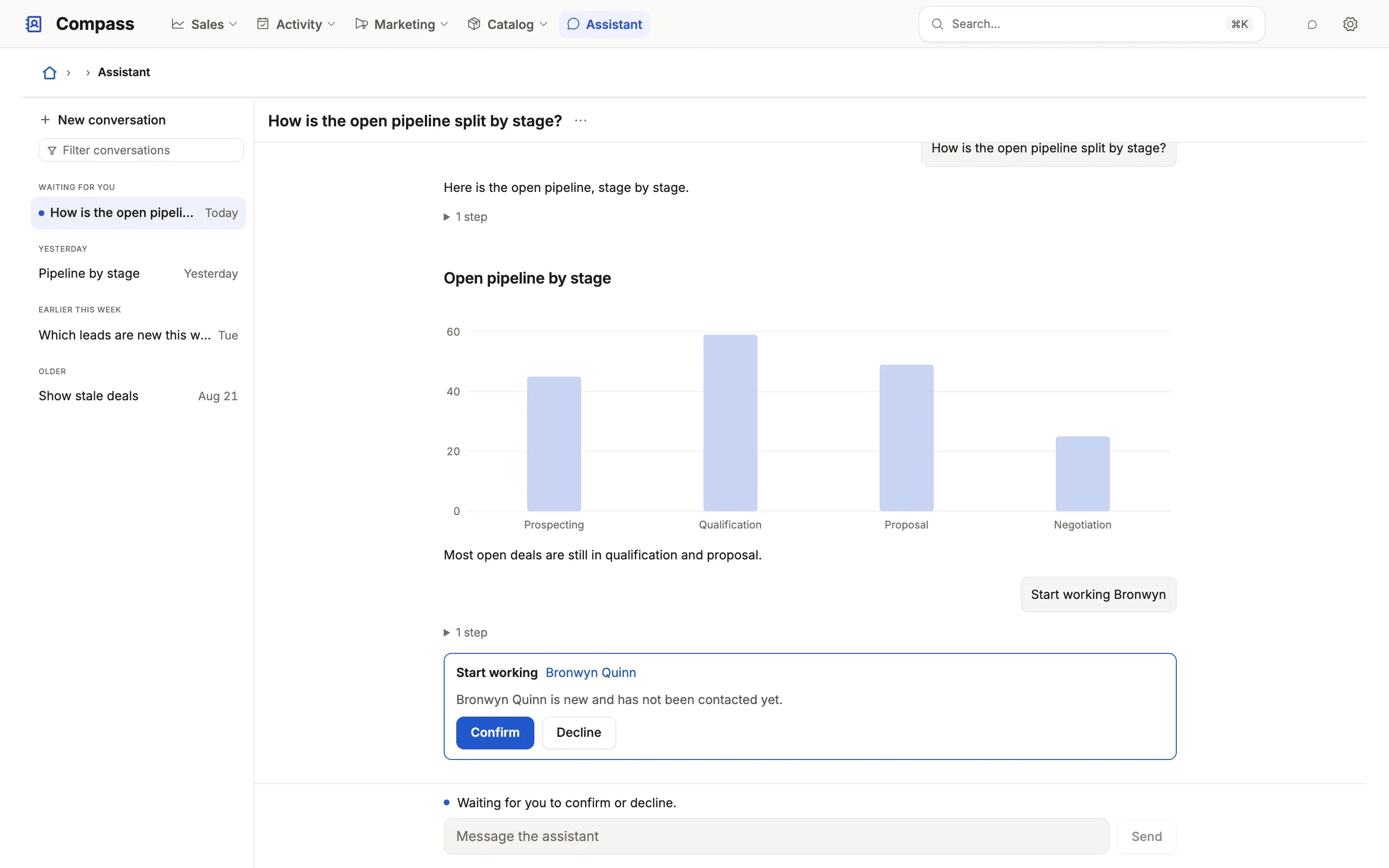
assistant() entry. How it works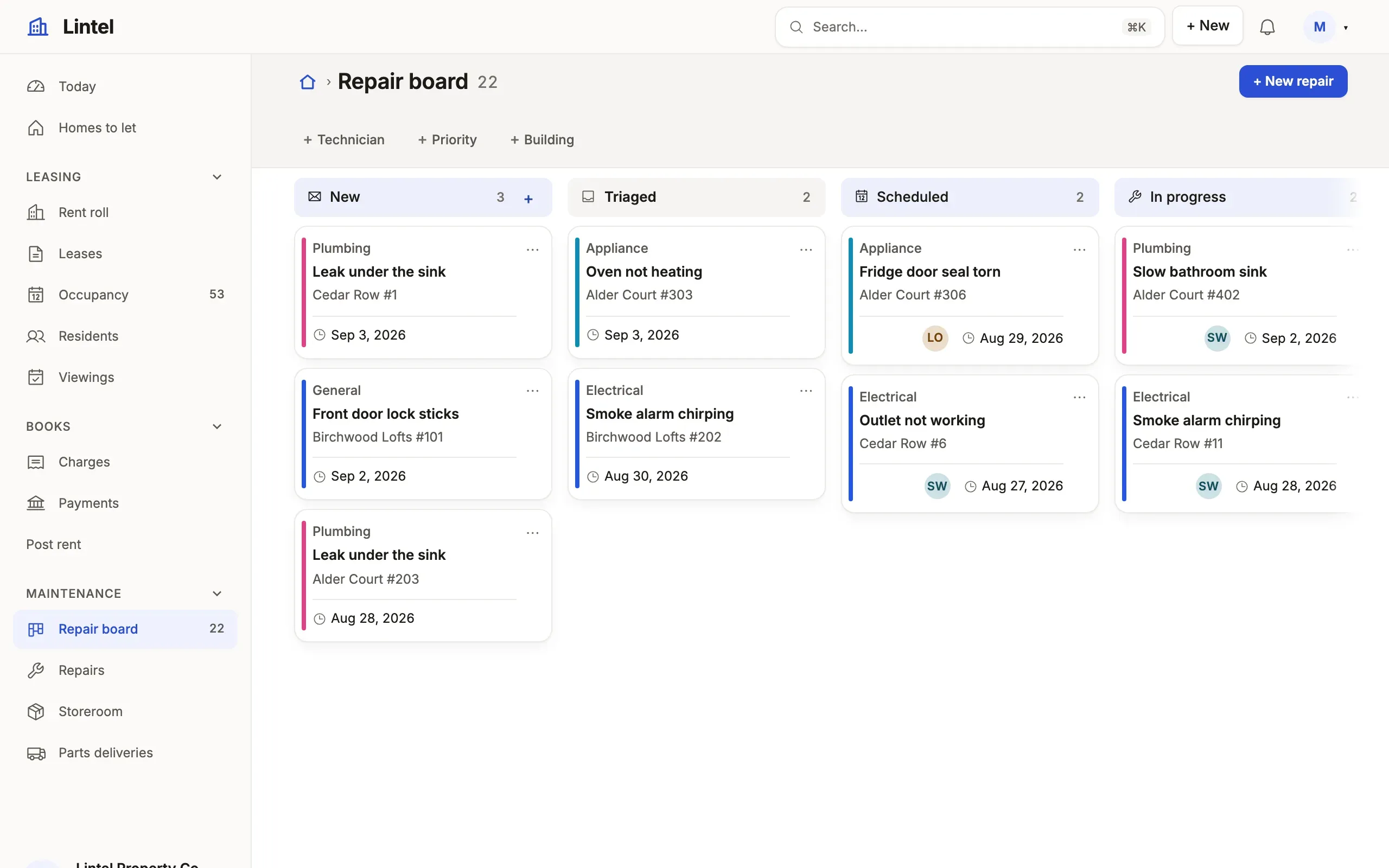
listView call. How it works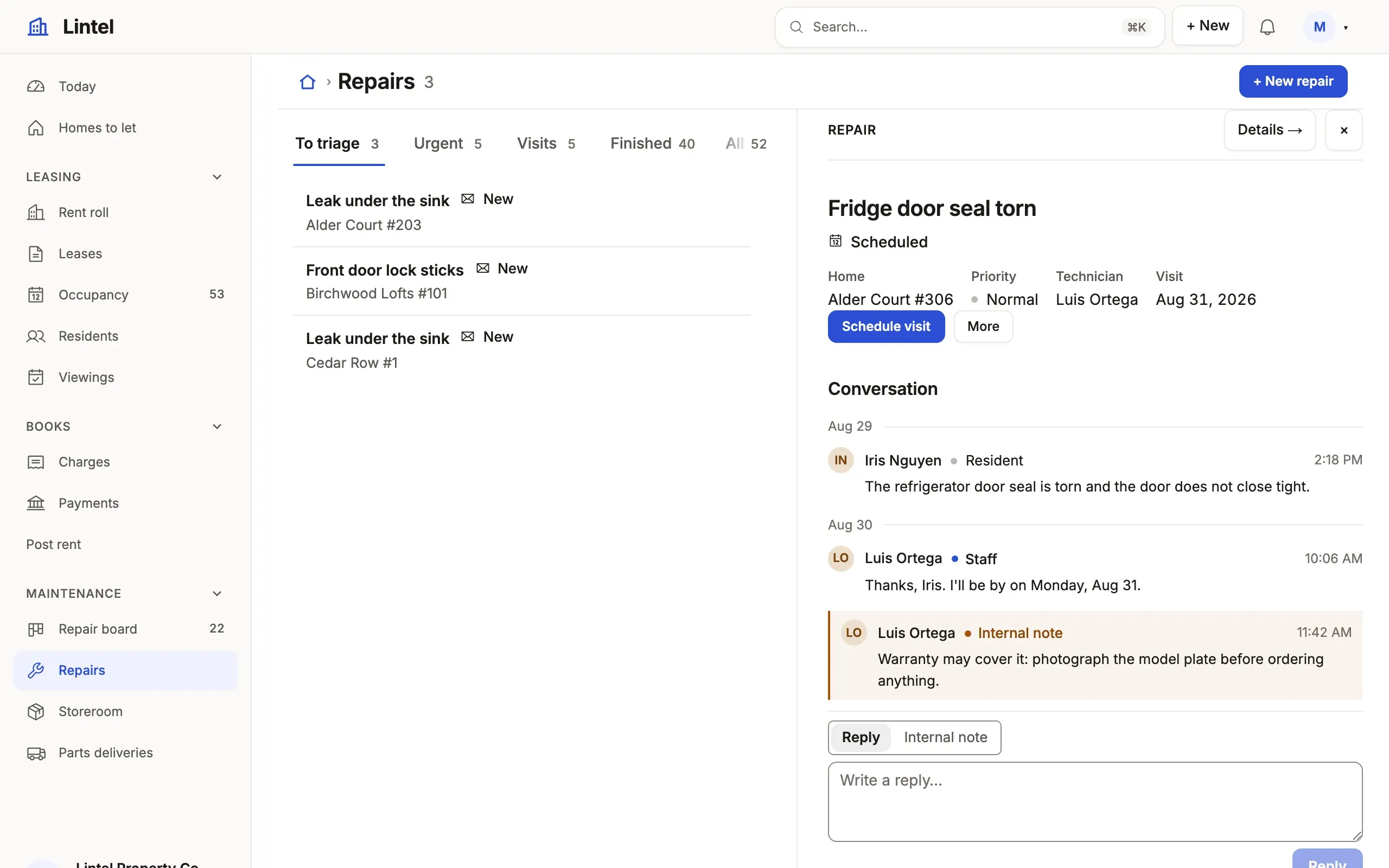
page(). How it works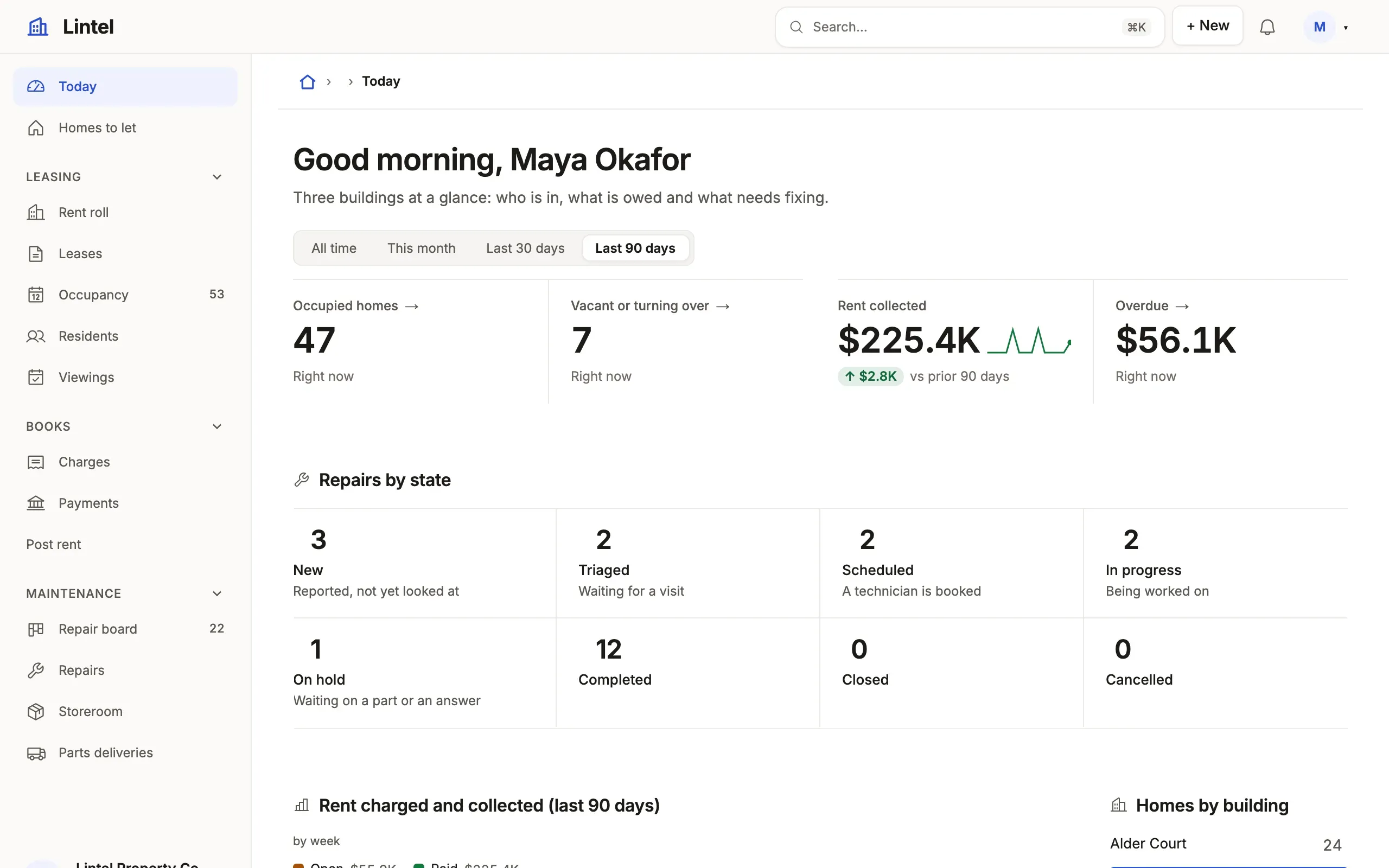
metric or chart call each. How it works- Keys for everything. ⌘K finds any view, and j and k step through the records of the list you came from. Navigation
- An address for every state. A list’s tab, search, filters and sort, a record, a dashboard’s window: copy the address and share it. Addresses
- Edit in place. Name the columns a list may change in its cells, and a record’s side panel edits where it reads. Lists
- Forms from the schema. Required fields marked, references searched by name, a switch for a yes or no. Forms
- Phone layouts. On a phone the menu folds into the bar, dialogs fill the screen and a record’s side panel follows the page. Navigation
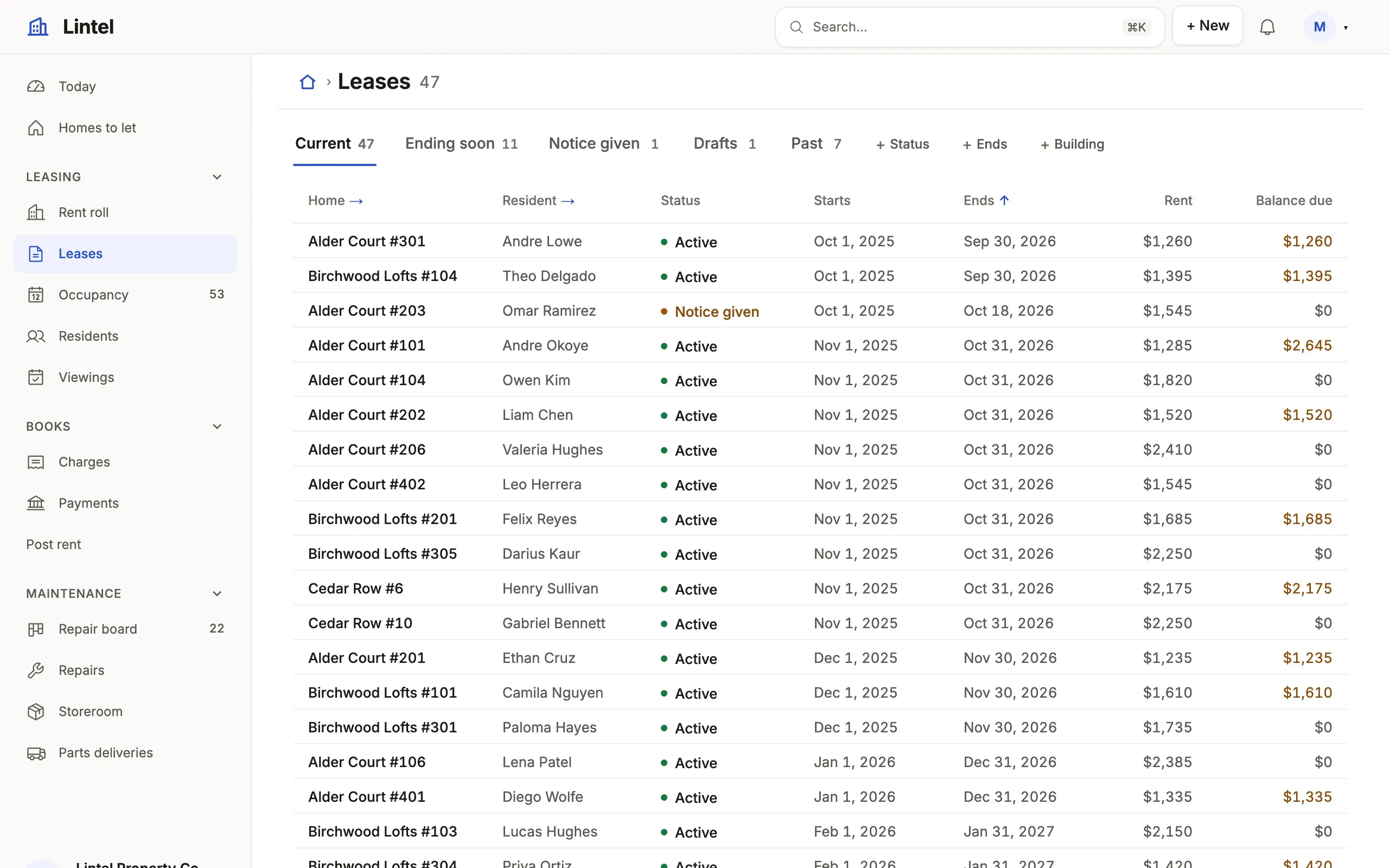
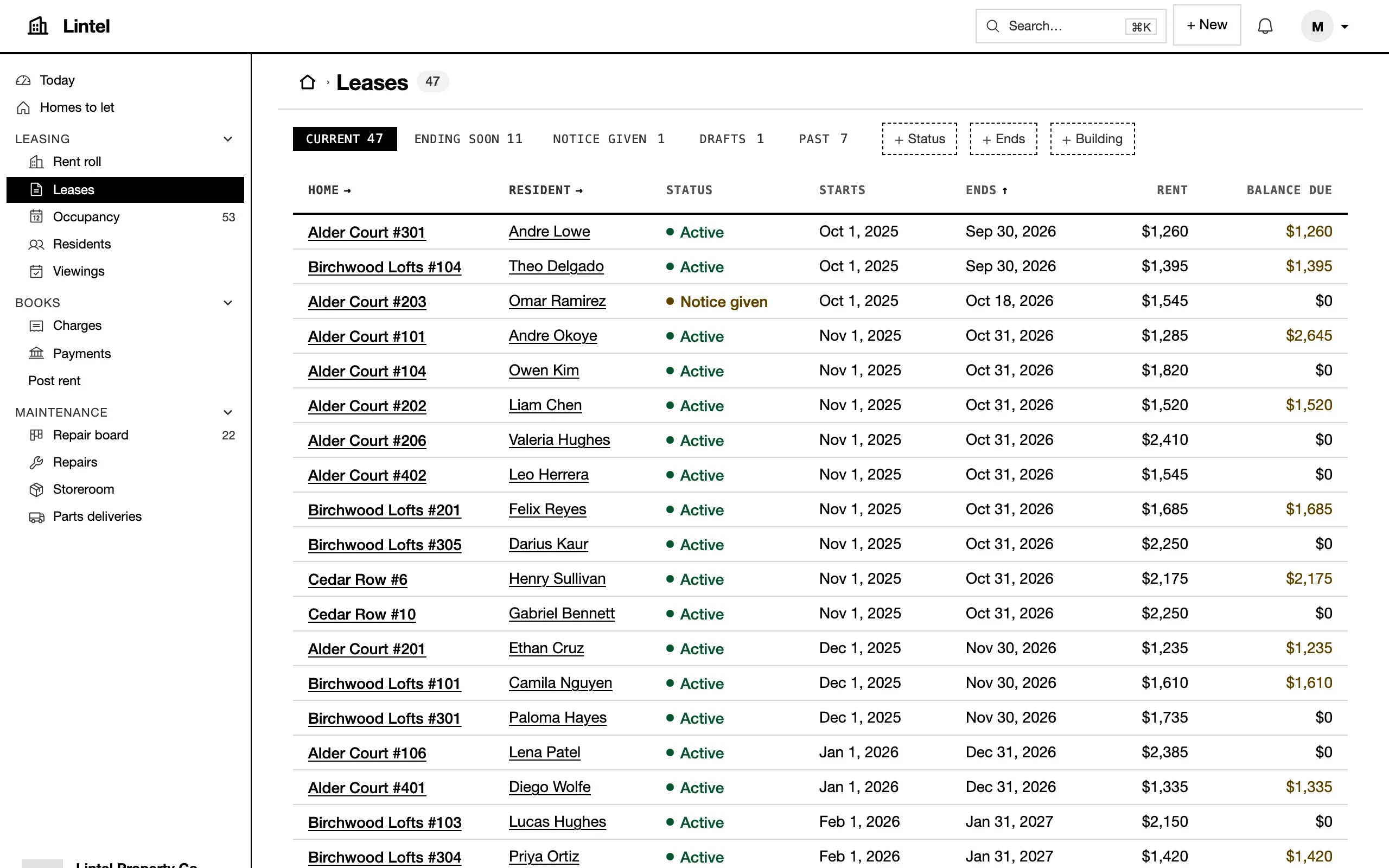
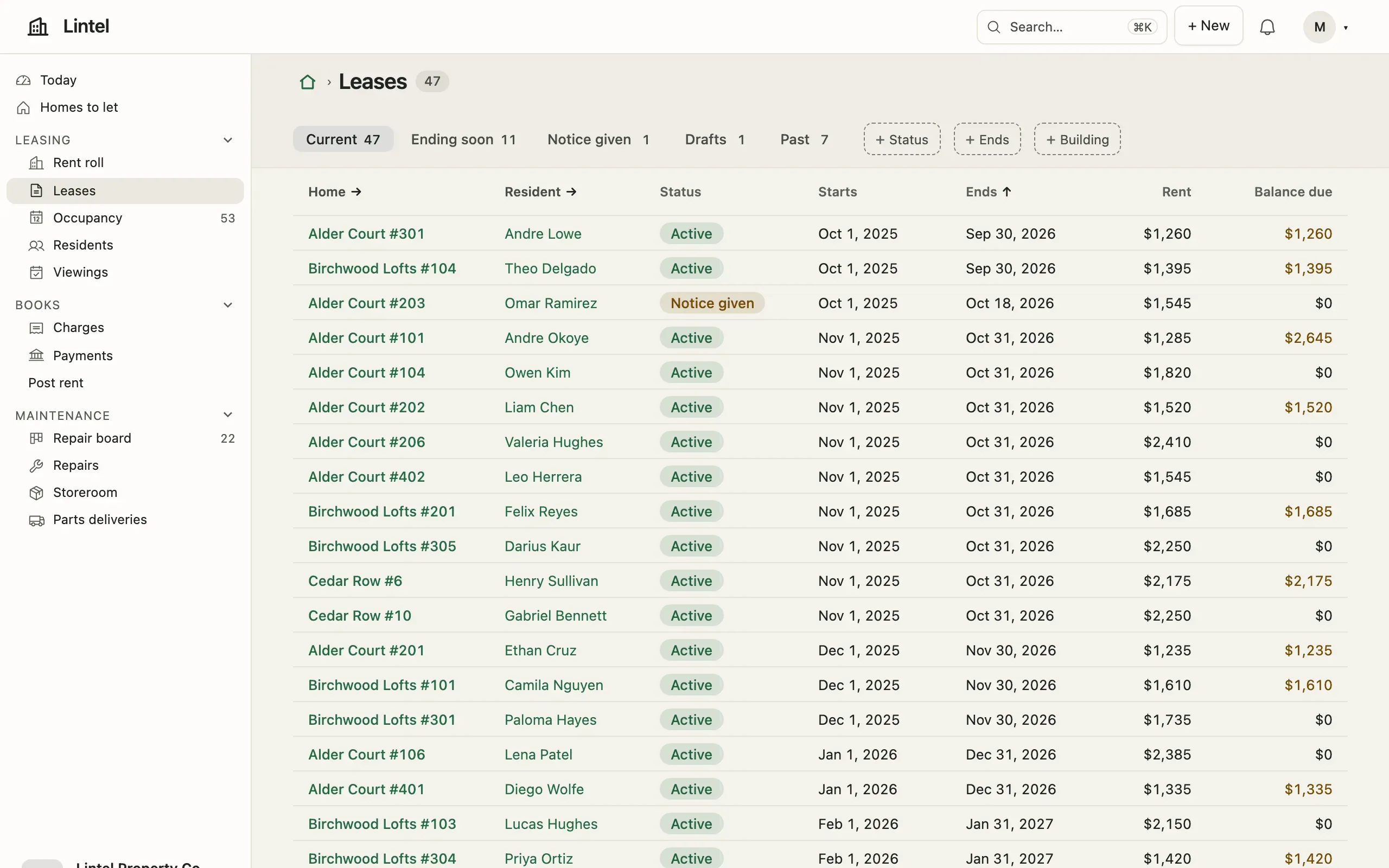
- Light and dark, three looks. Lumen, Mono and Sage; each reader picks a look and System, Light or Dark under Preferences. Looks
Same app. Your brand.
Section titled “Same app. Your brand.”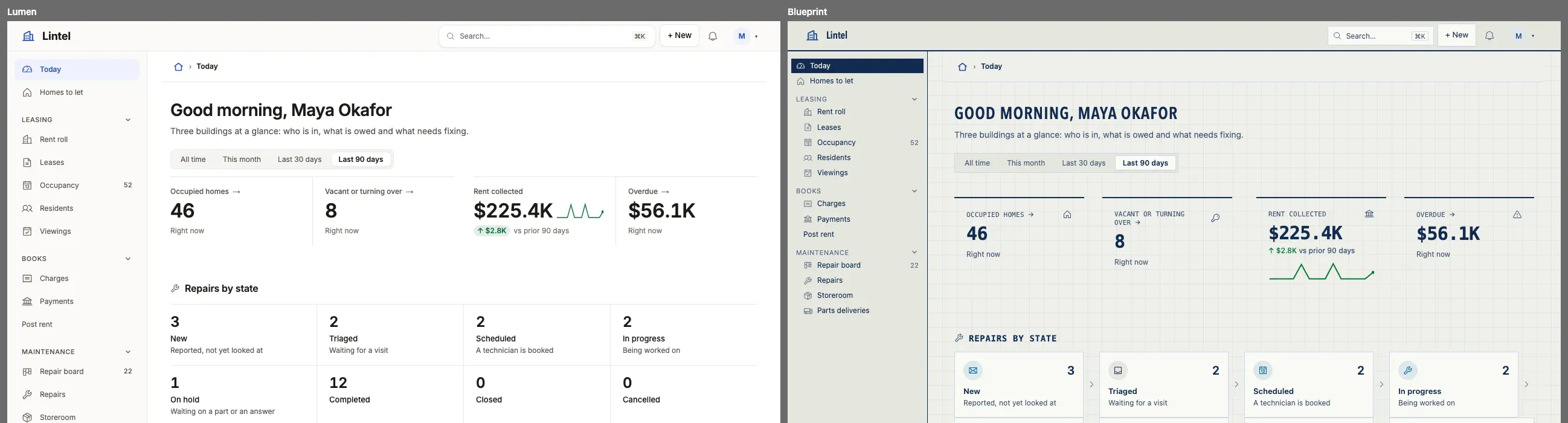
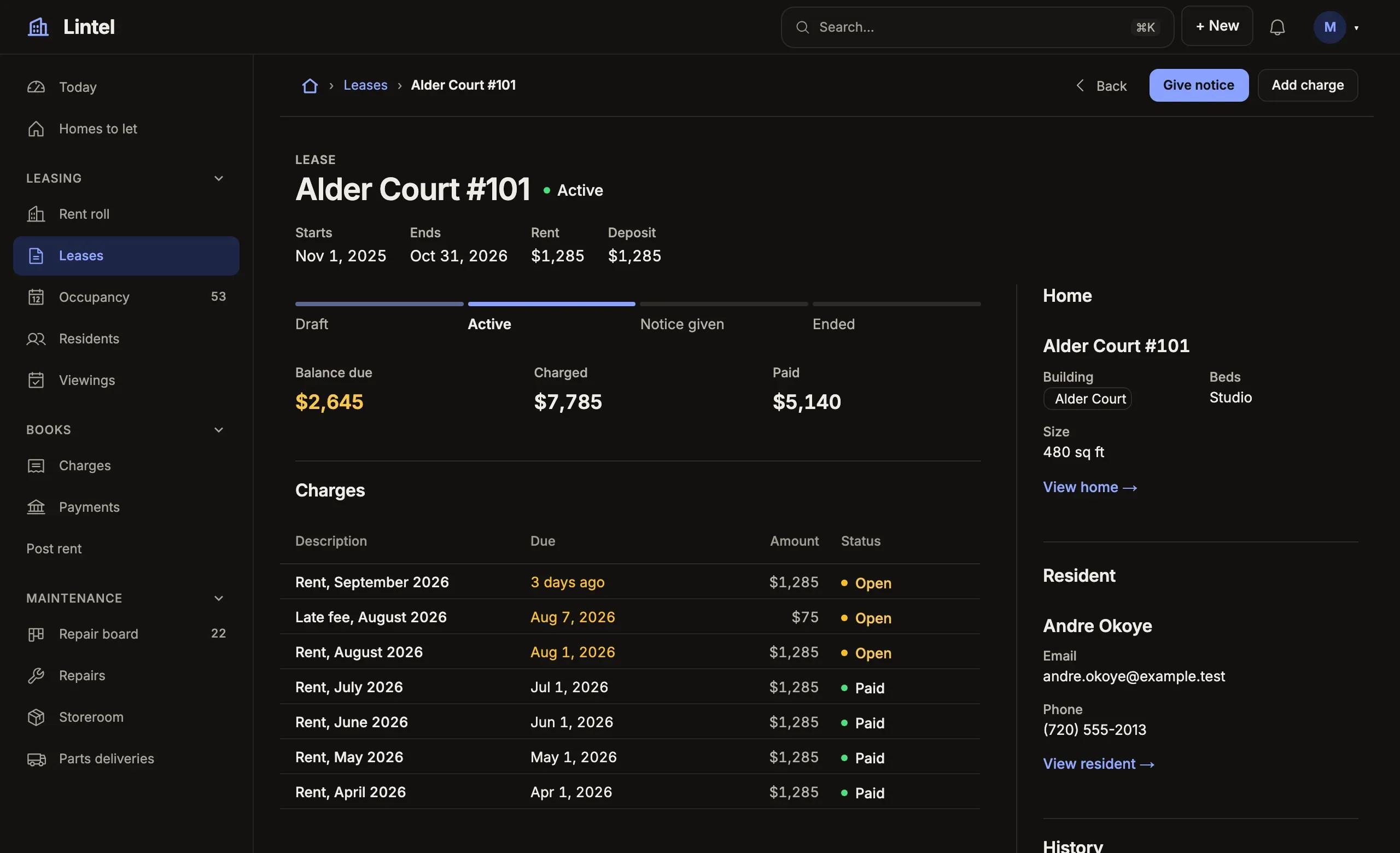
The same Lintel, data and addresses, re-dressed by one validated 61-line theme file that changes 98 of Lumen’s
values. tablewalk check tests every color pair it makes in light and dark, and refuses one it cannot
read, naming a color that passes; tablewalk grade then measures the rendered pages, 26 of them at four widths: 99 of 100, and no finding the theme causes.
A look of your own
Yours to change
Section titled “Yours to change”When a default is not enough, each layer has a hook, and what you write is still checked against the database.
A component of your own
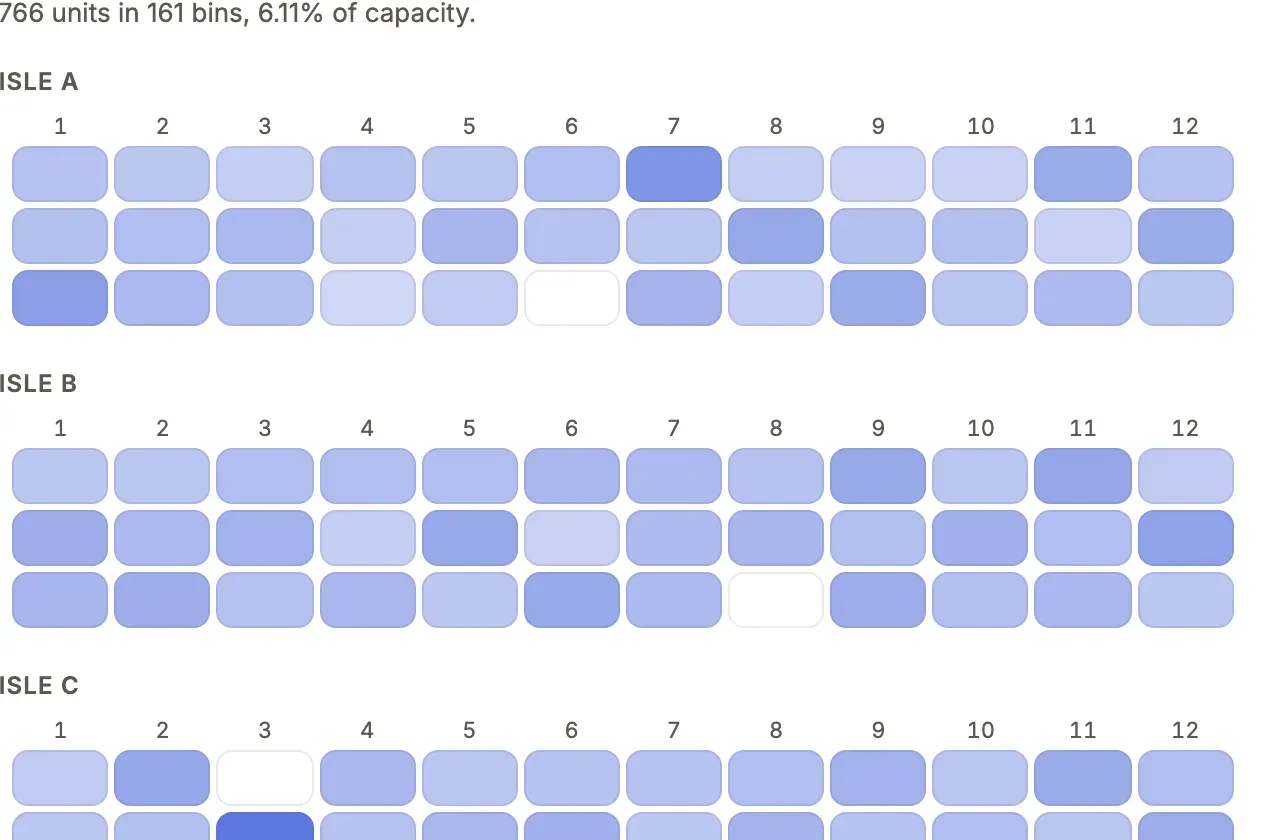
export const warehouseBins = custom('Floor', binMap, { rows: { bins: { from: 'bin', whose: 'warehouse_id', /* … */ }, },});A floor map drawn in React with tablewalk/ui: typed rows in, read under the
reader’s grants, changes only through commands, in every look.
defineTheme: colors by purpose, faces and corners, light and dark.CommandsServer operations with declared inputs, a typed db and refusals of their own, in one transaction.Record pagesSections, child tabs and a side panel, your own components among them.DashboardsMetrics, charts, breakdowns and waiting work, over a window the reader picks.Custom componentsA React component fed by checked reads, drawn with the looks’ tokens.FormsGroups, defaults, help and conditions for the New form and record editing.Built for the agent loop
Section titled “Built for the agent loop”tablewalk is made for a coding agent to build with: little to write, a precise answer when it is wrong, and a way to see what the running App did. Install the skill, give the agent a brief, and it works against the same checks you would.
- The skill where your agent reads it.
tablewalk agent initinstalls it for Claude Code, Codex, Cursor and GitHub Copilot. Build with a coding agent - The schema in its context.
tablewalk schema --briefprints one line per table, with keys, references and allowed values. - Wrong fails before a page opens.
tablewalk checktypechecks the App against the generated schema types and validates it against the database: a stable code, the file, and the fix, as lines or JSON. Check codes - It sees what it did.
--devrecords every request’s SQL, each command’s input and refusal cause, logs, N+1 and slow statements and page vitals, andtablewalk observe --mcphands them to the agent as tools;tablewalk shotdraws the App’s pages as PNG files. Observe
$ npx tablewalk agent init$ npx tablewalk schema --brief…customer(id* int, name text, email text?)invoice(id* int, customer_id int → customer, total num, paid bool)$ npx tablewalk check --app . --briefunknown-column app.ts view "invoices": This view's show cannot be resolved on "invoice": "amount" ("amount" is not a column on invoice.). — fix: use a column the table has (the message names the nearest; tablewalk schema --brief lists them)To read the data itself, tablewalk --mcp gives an agent up to twenty-three tools:
seventeen that only read, and six writes listed only for a writable connection.
In production the same traces go to your collector over OpenTelemetry.
MCP · Observe and operate
Also built in
Section titled “Also built in”tablewalk build checks and bundles once, for a container.What is stable and what comes next: Status and roadmap.
Three sample Apps to run and read: Tick, a checklist in one file; Lintel, property operations in modules with its own tests; and Ladle, a cooking school’s own React site with the staff App embedded in it. A CRM, a service desk, a warehouse and the like are patterns in the agent skill’s recipes, not samples. Sample Apps
Also a database browser. npx tablewalk postgres://… opens any PostgreSQL, MySQL/MariaDB or SQLite database read-only, and you follow its foreign keys like links. Apps run on PostgreSQL and SQLite; MySQL/MariaDB is for browsing. Browse a database
MIT license (the LICENSE file in the npm package)