Dates and types
Know what a column’s declared type lets it do (date windows, totals, yes or no) and declare SQLite text dates as dates.
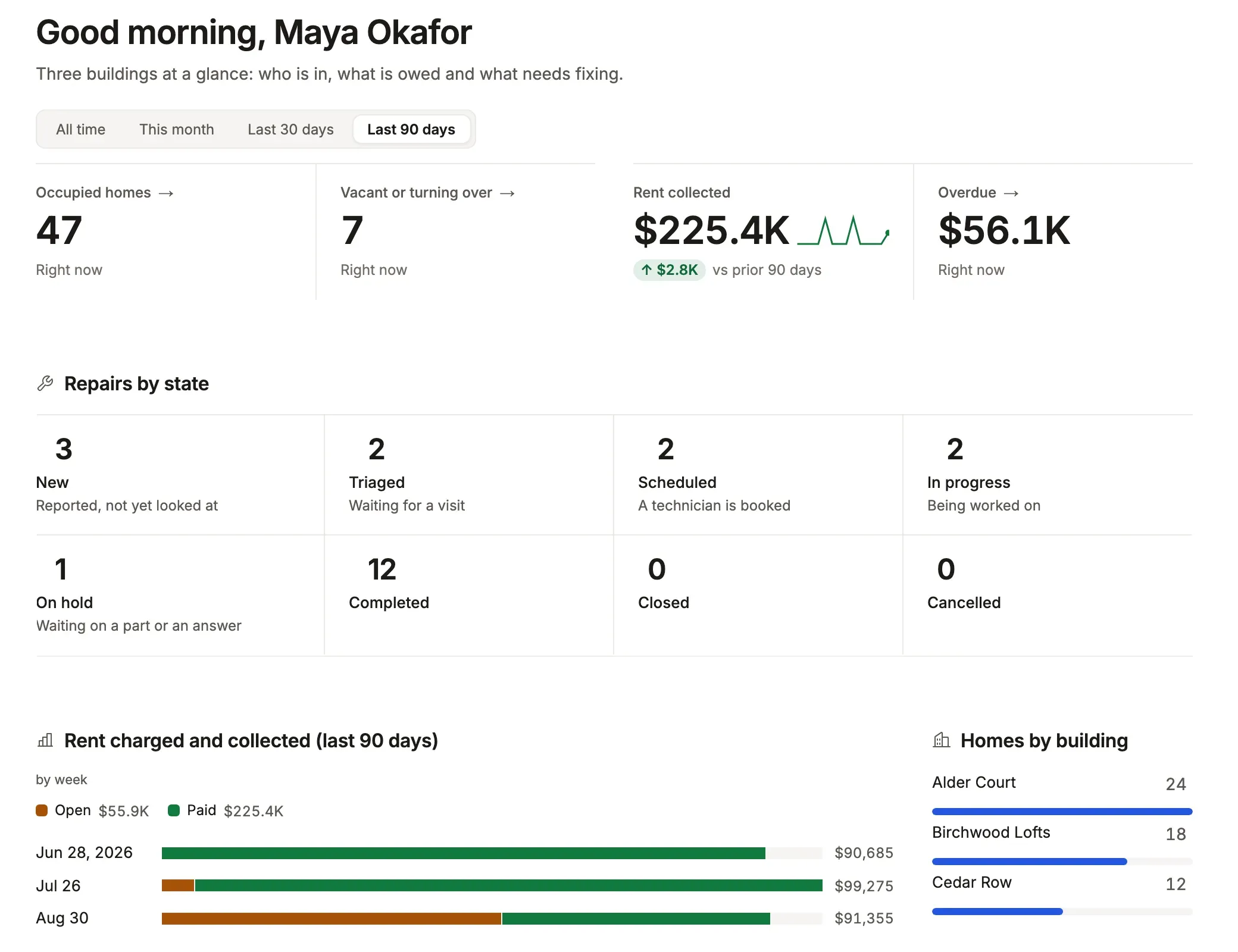
metric('Rent collected', 'charge', { query: 'kind = rent and status = paid', over: 'due_on', measure: 'sum amount as collected', better: 'up', // … }), // … chart('Rent charged and collected', 'charge', 'auto due_on, status', { query: 'kind = rent', over: 'due_on', measure: 'sum amount as rent', shape: 'stacked', // … }),See it in the sample (examples/apps/lintel/dashboards.ts:15); Sample Apps says how to run Lintel. due_on is declared DATE, so it is a date.
What you’ll see
Section titled “What you’ll see”- A date column grouped by
day,weekormonth(orauto, which picks the unit from the window), narrowed by a window (over), and offered date presets in filters (last 7 days,next 90 days). - Numbers summed in totals and measures, and a yes/no column drawn as a check or a cross.
- Each column’s kind in
tablewalk-schema.d.tsunderColumns, so query strings are typed as you write them:'due_on = last 6 months'passes, and a date phrase on a column that is not a date is an error at the string.
When to use it, and when not
Section titled “When to use it, and when not”- Use the column’s own type: declare
DATE,TIMESTAMPortimestamptzfor dates andbooleanfor flags. The kind comes from the declared type, never from the values stored. - Use
typeson a resource only on SQLite, for aTEXTcolumn of ISO dates you cannot rebuild the table to retype. - Use a database view with a cast instead on PostgreSQL, which refuses
typesbecause the column’s type already says it.
Options
Section titled “Options”The declared type is matched as text, first rule first:
| Kind | The declared type contains | Examples |
|---|---|---|
| boolean | bool, or an integer a CHECK (flag IN (0, 1)) pins |
boolean, INTEGER CHECK (auto_renew IN (0, 1)) |
| number | int, serial, numeric, decimal, real, double, float, money |
bigint, numeric(12,2), tinyint(1) |
| date | date or time |
DATE, TIMESTAMP, timestamptz, DATETIME |
| text | char, text, uuid, json, enum, clob |
varchar(80), uuid, jsonb |
| other | anything else, or nothing | bytea, interval, MySQL YEAR, a PostgreSQL enum (its labels are a vocabulary) |
On SQLite, resources: { work_order: { types: { due_on: 'date', closed_at: 'datetime' } } } makes the App read the column as a date. Its values must be ISO (2026-09-24, 2026-09-24 14:30:00); anything else matches no window and groups as empty. MySQL stores BOOLEAN as tinyint(1), which reads as a number.
Large numbers: PostgreSQL bigint, numeric and money, MySQL decimal, and any integer past 2^53 arrive as strings, shown as written and never rounded. The generated Rows type says string (or number | string) for them, so a command handler converts on purpose. Every key: resources reference.
now and today, or ctx.now(): in a declaration (an action’s set, a field’s or a machine’s default, a New form’s auto) write the words now and today. They are stamps, not values: the server works them out inside the write, in ui.timezone, so a request cannot choose them. In a command handler write ctx.now() and ctx.today() (handle({ db, now, today }) takes them off the context): the same clock as a Date and a YYYY-MM-DD day, for code that computes with them, such as a due date n days on.
Common mistakes
Section titled “Common mistakes”[not-a-date], or"created_at" is TEXT, so the time window cannot narrow by it→ declare the column a date type, or on SQLite addtypes: { created_at: 'date' }.- A SQLite
INTEGERof epoch seconds treated as a number → store ISO text and declare it withtypes, or expose a view that converts it. - An id shown as
9007199254740992instead of its real value → it was run throughNumber()in your own code; keep it the string it arrives as.
Related
Section titled “Related”- Dashboards: windows,
overand charts by day, week or month. - Query language: the date phrases a query can say.
- Lists: the calendar presentation, which needs a date column.
- Display rules:
format: 'relative', money and units.