Resources and fields
Declare the tables an App serves, which of them it writes or deletes, and which columns no reader ever receives.
export const resources = { // … property: { access: 'write', // … property_photo: { access: 'write', delete: true, // … staff: { recordLabel: 'name', },See it in the sample (examples/apps/lintel/resources.ts:19) (other keys left out); Sample Apps says how to run Lintel.
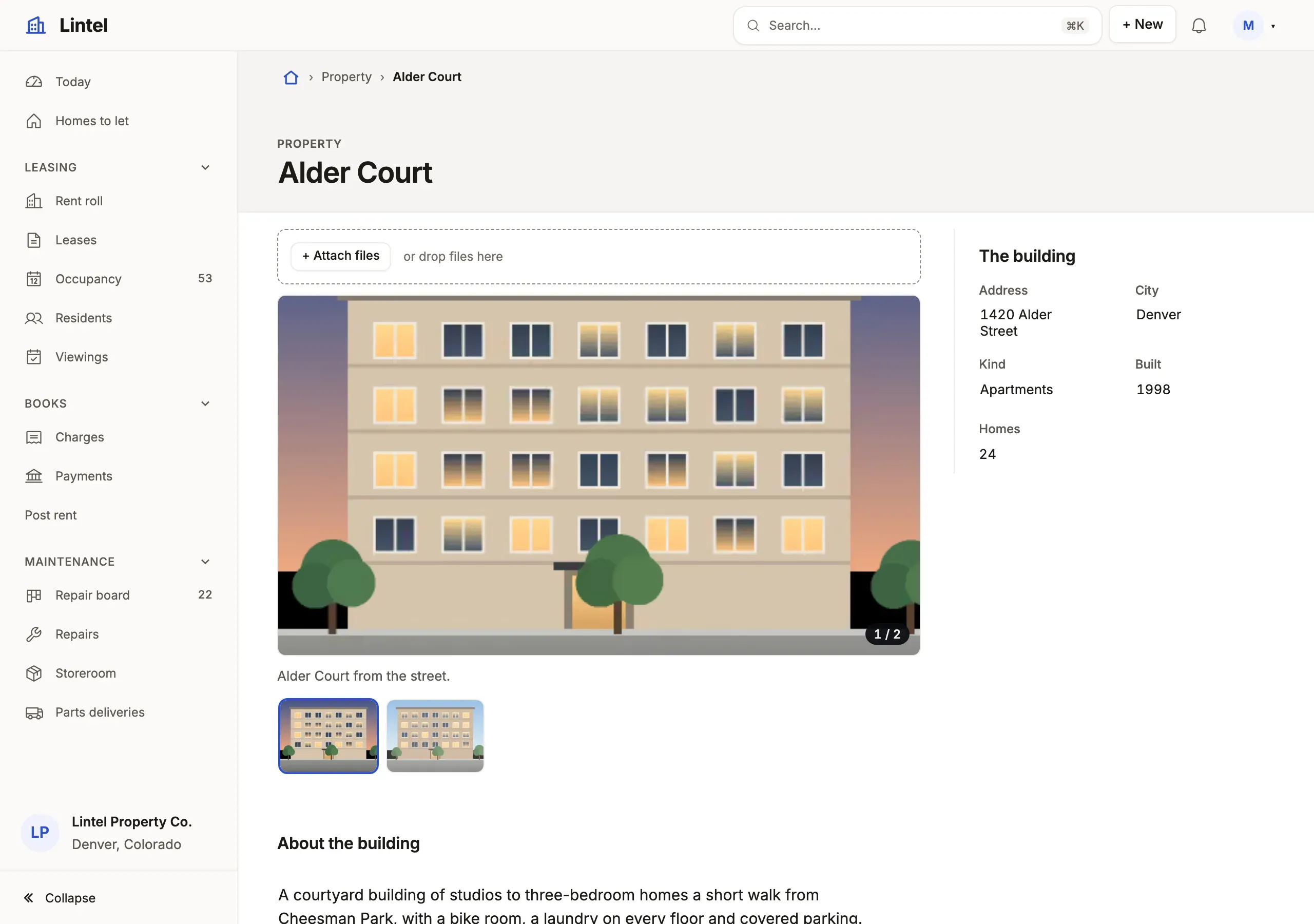
What you’ll see
Section titled “What you’ll see”- New and Edit on buildings, and New, Edit and Delete on their photos; staff are read, with no New and no Delete.
- A table the App does not declare is not there: no address and no metadata, and every endpoint answers as if it did not exist.
authority.lockbeside the App records each resource and what it may do, andtablewalk checkfails when that changes unreviewed.
When to use it, and when not
Section titled “When to use it, and when not”- Declare every table a view, page, label path or rollup reads;
{}is enough, because a declared resource reads by default. - Use
hiddenfor a column no one may ever receive (a password hash, a cost); use a role’sfieldsinstead when some signed-in readers may see it (roles and field access). - Use the standalone database browser instead for tables nobody curates: raw SQL, the schema browser and the connection manager are its tools, never an App’s.
Options
Section titled “Options”| Key | What it does | Default | Status |
|---|---|---|---|
{} |
Declares the resource; it reads | not served | Stable |
access: 'write' |
New, Save and edits; the ceiling roles grant within | reads only | Stable |
delete: true |
Offers Delete; needs access: 'write' |
no Delete | Stable |
hidden: [...] |
Columns cut from metadata, results, exports and the API; a query naming one is refused; no role grants it back | none | Stable |
fields: { read, write } |
A column ceiling for signed-in roles; needs auth.roles |
every column | Stable |
recordLabel, noun, labels |
What names a record, what one is called, column captions | the name column | Stable |
Another, with what a dealer paid kept from every reader (illustrative: no shipped example hides a column this way):
vehicle: { ...resources.vehicle, hidden: ['cost'] },Writes need the connection too: nothing writes unless tablewalk.json says "writable": true, and the server checks it in every route and tool that writes, not the UI. Every read runs in a read-only transaction. Every key: resources reference.
Common mistakes
Section titled “Common mistakes”[unknown-resource]or[outside-ceiling]: a view or a role names a table the App does not declare, or writes one withoutaccess: 'write'→ declare it, withaccess: 'write'where it is written.has "fields" and no "access"or[needs-auth]→fieldsis for signed-in roles; without sign-in, usehidden.- Every column reaches any browser that reaches the port when there is no
auth→ keep the server on loopback (the default), add sign-in, andhiddenthe secrets.
Related
Section titled “Related”- Roles and field access: who reads and writes what, within these ceilings.
- Row access: which rows each reader sees.
- Display rules: how a resource’s values are drawn.
- Relationships: how resources point at each other.