Composing a form
A form reads as designed when it says what it is for, asks in groups, fills in what it can and explains what is not obvious. Tick’s New task and Lintel’s Report a problem are the worked examples.
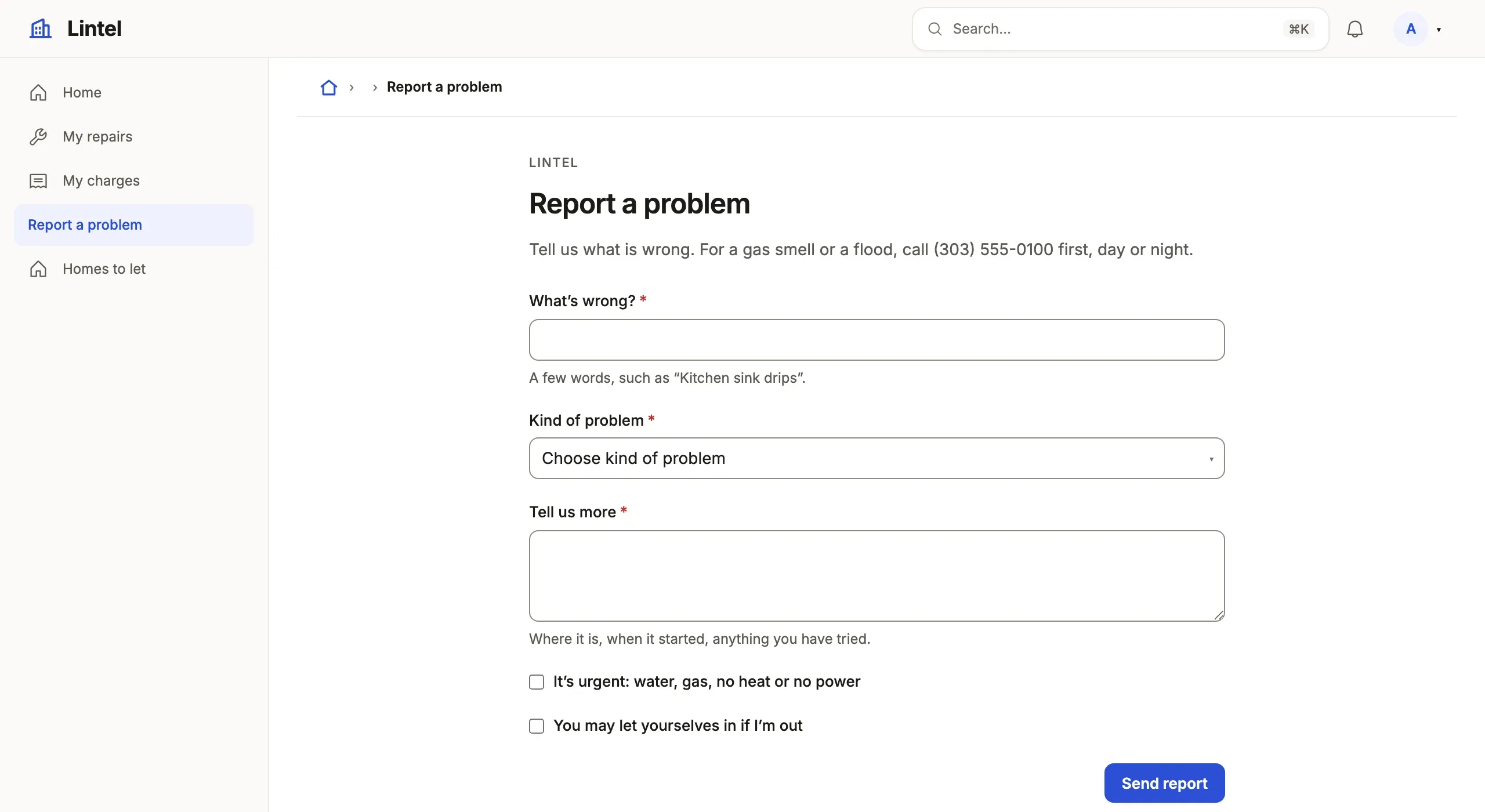
- Always, give the form a
description: one sentence of what a new record is for —examples/apps/lintel/views.ts:220. - When it asks for six or more fields, use
groupsof 3–7 fields under nouns (Person, Lead), not types (Dates, Links) —examples/apps/tick/app.ts:38. - When a required field has an obvious value, put it in
defaults: the first state where the column has no DEFAULT,todayon a created-on date,nowon a timestamp,meon an owner (constants fromtablewalk/app) —examples/apps/lintel/resources.ts:296. - When a field is not obvious, or is optional, give it
helpthat says what to put there or what leaving it empty does, and aplaceholderfor its shape —examples/apps/lintel/commands/maintenance.ts:31. - When a reference’s choices belong to another field’s choice (a task’s
deal is one of its account’s), narrow it with
where. - When two fields must agree, say it as
validationwith a sentence, beside the form —examples/apps/lintel/resources.ts:78. - When a child is added from its parent’s page, give the related list a
createwith the few fields it needs andprefillfor the references the parent already knows —examples/apps/lintel/pages/maintenance_request.ts:30. - When the form decides something against stored state, runs in steps, or
is filled all day, make it a
commandFormwithsteps andfield.*({ help })—examples/apps/lintel/views.ts:219,examples/apps/lintel/commands/maintenance.ts:29.
Text named like prose (notes, description) is a box of several lines on
its own; fields.<name>.multiline says so for any other. The keys are in
Forms.